
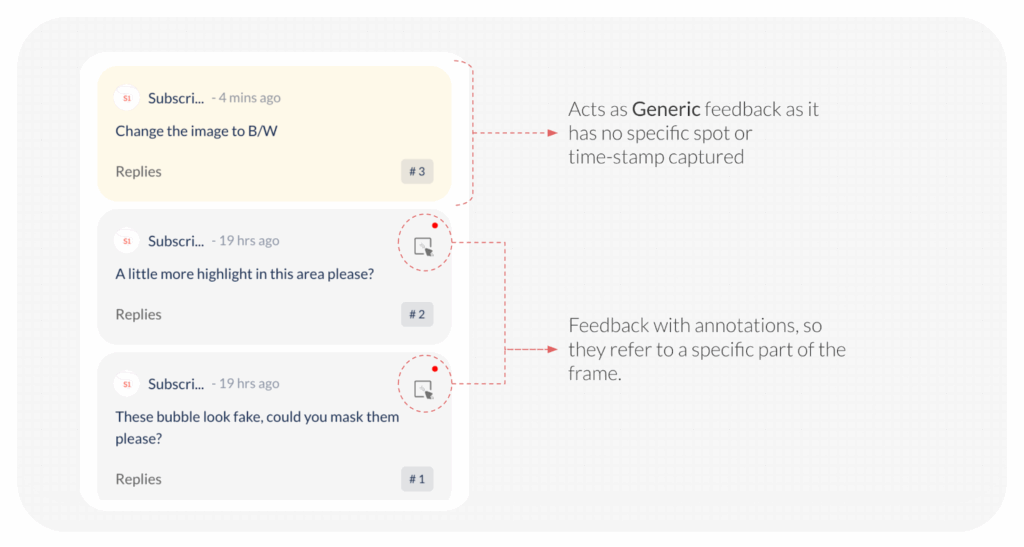
When reviewing a video or image, you often need to provide feedback that applies to the entire file, rather than a specific spot. This is known as generic feedback. As an Approver, you have two primary ways to deliver this broad feedback and send the file back for revision.
Method 1: Using the Dedicated Feedback Panel
This method allows you to leave detailed notes, voice recordings, or reference attachments that apply to the whole asset.
- Open the File: Open the desired image or video file from your workspace.
- Access Feedback Panel: Click on the ‘All Feedback‘ panel located on the top right side of the file viewer.
- Type Generic Feedback: Type your feedback directly into the text box. Since you haven’t clicked on a specific area of the image or video, the comment will automatically be considered generic feedback for the entire file.
- Enhance Clarity (Optional): You can also add a voice note for more clarity or attach an image/video for reference to support your feedback.
- Initiate Revision: Click on Revise File.
- Send Request: Complete the action by clicking Send to officially transition the file status to ‘In Revision’ and send it back to the Creator.
Method 2: Using the Optional Message on the Request Revision Page
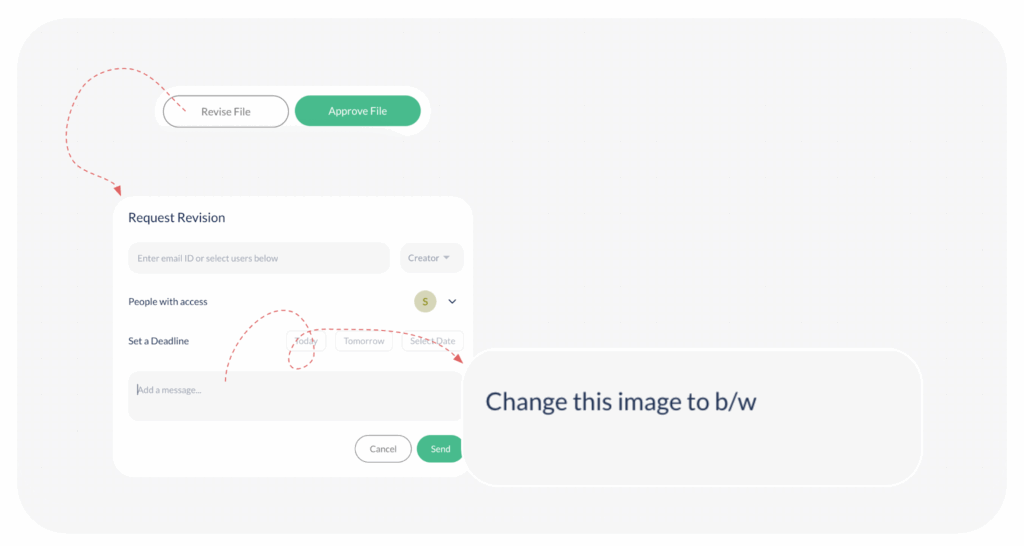
This method is the quickest way to provide a short, high-level summary of the required changes when sending the file back.
- Initiate Revision: Click on Revise File.
- Access Optional Message: The Request Revision pop-up will open. Within this pop-up, you will see an option to enter your message.
- Type Generic Feedback: Type your summary or primary feedback into this message box. This message will be considered generic feedback for the Creator to reference.
- Send Request: Click on Send for the Creator to receive the revision request and begin working on the changes.
These two methods work consistently whether you are reviewing a standalone file or files within a board.
Visited 85 times, 1 visit(s) today
Was this article helpful?
YesNo
Last modified: January 7, 2026
