
Yes, Creators or Approvers can easily invite other team members to contribute and upload content by assigning them the Collaborator role. This is essential for projects where multiple people are responsible for generating assets.
To add someone as Collaborator, follow these steps:
- Open the entity (Space, Collection, Board, or File) where you want the Collaborator
- Locate the member section, and click on the Plus (+) icon,
- Select a member to add or type in their email address.
- Select Role as ‘Collaborator’
- Click Done.
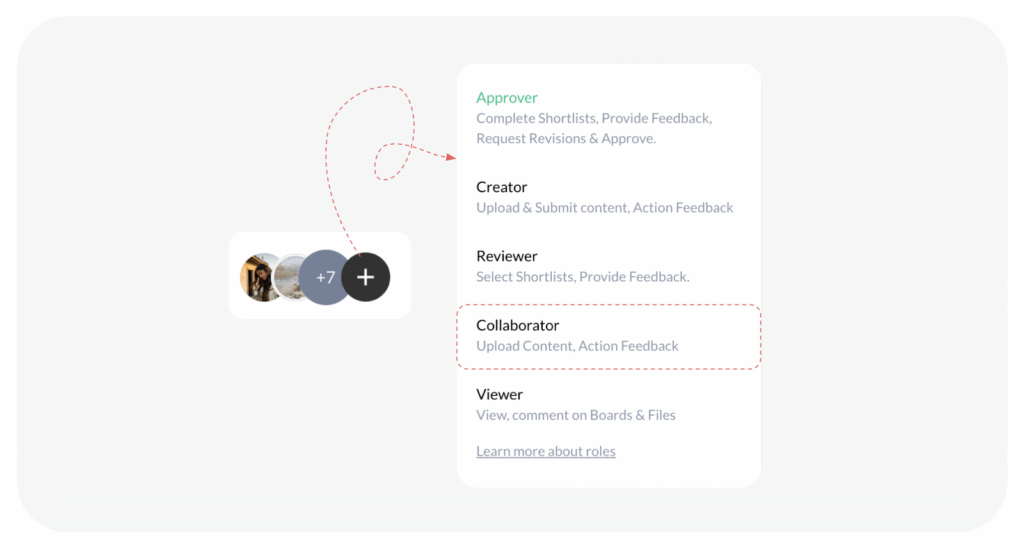
Note: Collaborators can only contribute by uploading content, but cannot perform any workflow actions. In summary, if you need someone to contribute files, assign them the Collaborator role. If you need someone to kick off the workflow, assign them the Creator/Approver role.
Visited 51 times, 1 visit(s) today
Was this article helpful?
YesNo
Last modified: February 26, 2026
